This is part 1 of the Apple GPU Driver series.
Introduction
I’ve done my fair share of graphics programming ever since I started learning to code around 8 years ago. However, the GPU always seemed like a mysterious black box: I feed in shaders, fill up a command buffer, queue it, and out appears a triangle on the screen.
For the last three years, I’ve been deep diving into the Linux graphics stack, and GPUs in general (also a bit of the Windows graphics stack). First from userspace: DRM/KMS, EGL, and Wayland. This was mainly done by building my own little Wayland compositor from scratch. I then started digging into DRM drivers through work on my hobby OS project. I was using virtio-gpu and QXL virtual GPUs through QEMU, which are pretty much not documented at all, so reading the Linux modules for them was the only way I could understand them (a common theme for hardware devices).
I then started trying to learn how graphics APIs such as OpenGL, Vulkan, and DirectX actually work, and how GPU vendors implement drivers for them. I think it was this ancient blog A trip through the Graphics Pipeline 2011 that prompted me to want to learn more about graphics APIs and GPUs.
Eventually, I came across Sebastian Aaltonen’s blog No Graphics API. It was quite an eye opening read and I suggest you go read it before reading my series of blogs. The main points are that current graphics APIs do not model current generation hardware accurately and are in fact a lot more complicated than need be. Sebastian proposes a modern API that’s better suited to today’s hardware.
In this series of blogs I’ll be documenting my process of implementing this proposed API for the Apple Silicon M1 GPU in Mesa for Linux. Why this GPU specifically? Mostly because I have a spare M1 Mac Mini. I did start writing an implementation for AMD RDNA, but I don’t actually have an AMD card to test on. I also assumed somewhat correctly that M1 would be a simpler GPU to work with. Note: Apple’s GPU architecture is named AGX.
Note on A.I.
I have not and will not be using A.I. to write any code for this project. This isn’t really an ideological opposition to it; A.I. might have it’s place in the industry, but the goal of this project is mainly for my learning (and hopefully to spread awareness of the “No Graphics API” concepts). I enjoy the process of figuring out how this stuff works by myself, and also knowing how the whole system works.
Linux Graphics
For those who aren’t familiar with the Linux graphics stack: Graphics drivers are mainly split into two parts, the kernel mode driver and the user mode driver (which are of course GPU specific).
The kernel mode driver handles GPU initialization, mode setting (setting resolution/framerate), power control, queue submission, and more.
The user mode driver implements the actual graphics APIs: OpenGL and Vulkan. Mesa is the open source project that contains the user mode drivers for a bunch of different GPU vendors, and I’ll be working in it for this project. Apple has published effectively no information on the AGX architecture, but thanks to the amazing reverse engineering work by Alyssa Rosenzweig, Mesa has Vulkan and OpenGL drivers for Apple Silicon GPUs.
There is only one instance of the kernel mode driver in the system, while the user mode driver can be instantiated any number of times by different processes. The user mode driver isn’t really anything special, it’s just a shared library that you load. However, the user mode driver communicates directly with the kernel mode driver through ioctls (this consists of buffer management, queue submission, synchronization). In our case, the asahi user mode driver interacts with the asahi kernel module.
First Steps
The first thing I did was clone the Mesa project and started reading through the existing asahi drivers. Thankfully lots of the common functionality is separated from the Vulkan and OpenGL specific drivers, meaning I didn’t have to worry about implementing a control stream encoding abstraction, shader compiler, etc.
I mostly referred to the Vulkan driver, or “Honeykrisp” driver as it’s called in the codebase, since Vulkan is a lot more similair to nogfxapi (I’m calling the driver nogfxapi for now as a codename. It is technically a graphics API, so it should probably have a better name in the future). I spent quite a bit of time figuring out how this driver works.
Eventually I wanted to actually write some code, but first I needed to set up a way to test out the driver. For this I’m using a modified version of Kmscube (Kmscube is actually part of the Mesa project, but for some reason I used this downstream version), a simple demo program that renders directly to the video card’s framebuffer using DRM/KMS. And yes, this means I’m running Linux headless. My development environment is remoting into the Mac from my PC with the Mac’s monitor beside me.
I then setup a src/asahi/nogfxapi subproject in Mesa and created an impl.c and api.h. The api.h contains pretty much the exact API as specified in Sebastian’s article, but modified to be plain C, and added some missing constructs (such as device creation) take a look at it here. In Kmscube, I’m simply linking to the hardcoded path of the nogfxapi shared object.
My process for starting a large project like this is to start as simple as possible. My first goal was to clear the framebuffer with a color in a render pass. I setup a simple render pass in kmscube that looked like this:
GpuCommandBuffer cmd = gpuStartCommandRecording(state.nogfx.queue);

gpuBeginRenderPass(cmd, (GpuRenderPassDesc) {
    .colorTargets = {
        { .texture = state.nogfx.render_target, .loadOp = CLEAR, .storeOp = STORE, .clearColor = { 1, 0, 0, 0 } },
    },
});

gpuEndRenderPass(cmd);

gpuSubmitSimple(state.nogfx.queue, &cmd, 1);
Really simple, not even binding a pipeline or drawing yet, just clearing the render target and submitting. Note: for now I’m not doing any sort of render loop. I’m only recording this single render pass and submitting, sleeping for a second (so I don’t have to worry about waiting on the GPU for completion), then performing an atomic commit of the DRM framebuffer (scanout to the display), then doing a for(;;); to wait forever.
I created implementations for these functions, and the other functions I needed for initialization. The bodies of these started out really simple. For example, gpuCreateDevice allocates an API object, opens the DRM device, and makes a call to agx_open_device. The proposed API didn’t have any way of importing an external texture, so I added a gpuCreateTextureImported function to import the framebuffer from GBM via a DMA-BUF file descriptor.
Clearing the Screen
The Honeykrisp implementation has two ways it clears the screen. The first is used by vkCmdClearColorImage, and the second is for clearing color attachments. I looked at the latter’s implementation first, and it uses a graphics pipeline to clear the attachment (via Mesa’s meta pipeline helpers). Then I looked at the vkCmdClearColorImage implementation, and it uses a compute shader to clear the image. I decided to use the compute shader approach, as I knew it would be a lot simpler than setting up a graphics pipeline.
After about a days work, I was able to create buffer objects, create command streams (AGX calls them controls streams), and submit the command streams to the GPU. Libagx provides a libagx_fill_uint4 macro. It’s a helper that provides a precompiled shader for clearing the given texture. It puts the given texture and clear color data into a packed format, then calls into a function I provide that uploads the shader data, uploads the uniform data, then finally launches the compute work and does a flat out barrier on everything.
Technical info about control streams
Control streams are GPU side buffer objects that contain any number of AGX commands and state modifications. They can be either graphics streams or compute streams, and a command buffer can have many of either type. Control streams can be serially chained to others (to continue the stream). I.e. I allocate a fixed 64KB control stream, then when that runs out of space, a link command is inserted which references the next control stream.
The commands in control streams can execute in any order. To guarentee a specific ordering, we can insert barriers between different control streams while submitting. There are barrier commands as well, but I’m pretty sure they’re only memory barriers.
Once done recording the control streams, they can be submitted with the DRM_IOCTL_ASAHI_SUBMIT ioctl. The gpuSubmitSimple does this for each command buffer. For now it assumes each command buffer has a single compute control stream. Once submitted, it’s the kernel module’s job to actually dispatch the control streams on the GPU.
After setting this up (then fixing a bunch of bugs and crashes), we finally have this!
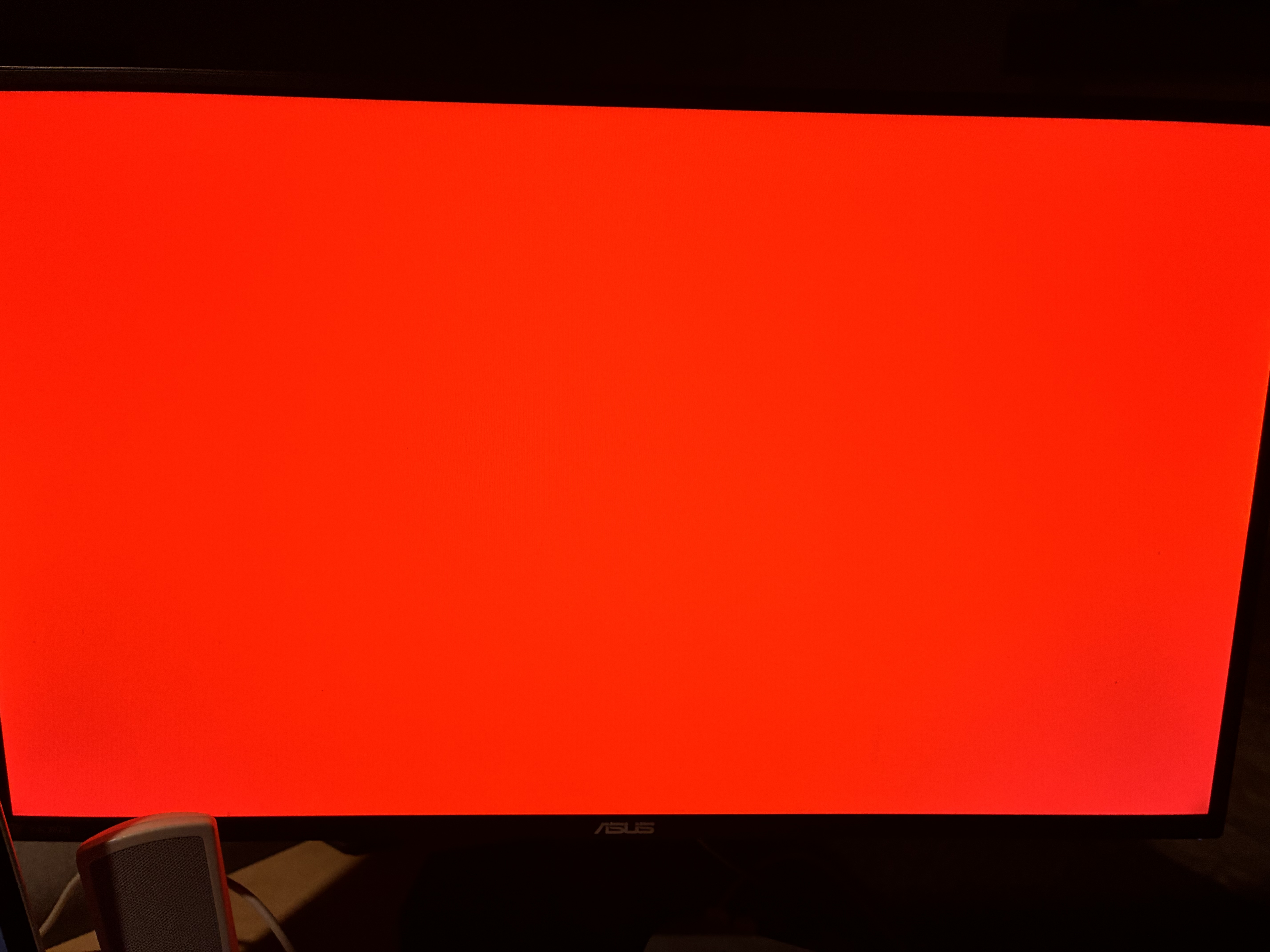
Very cool. This post was pretty short, but it was a lot of work actually getting this working. I’m excited to start setting up a graphics pipeline and hopefully draw a triangle in the next one.
API Functions Implemented
GpuDevice gpuCreateDevice(const char* path);
GpuQueue gpuCreateQueue(GpuDevice device, QUEUE queue);
GpuTexture gpuCreateTextureImported(GpuDevice device, GpuTextureDesc desc, int fd);
void gpuSubmitSimple(GpuQueue queue, GpuCommandBuffer* commandBuffers, size_t commandBuffersCount);
GpuCommandBuffer gpuStartCommandRecording(GpuQueue queue);
void gpuBeginRenderPass(GpuCommandBuffer cb, GpuRenderPassDesc desc);
void gpuEndRenderPass(GpuCommandBuffer cb);